
A customer describes their custom pergola. A hand-drawn sketch, three back-and-forth emails or messages to pin down the exact dimensions, and a quote that goes out hoping it still matches what the customer had in mind. If you manufacture modular custom products (pergolas, carports, wood structures, matching furniture), this scene is familiar.
A modular 3D configurator is a tool that replaces that sketch with a guided online journey: the customer adjusts the dimensions, materials and options of their pergola or carport themselves, and at each step only sees the combinations your workshop can actually produce. This is what 3DVue builds for manufacturers of custom wood structures.
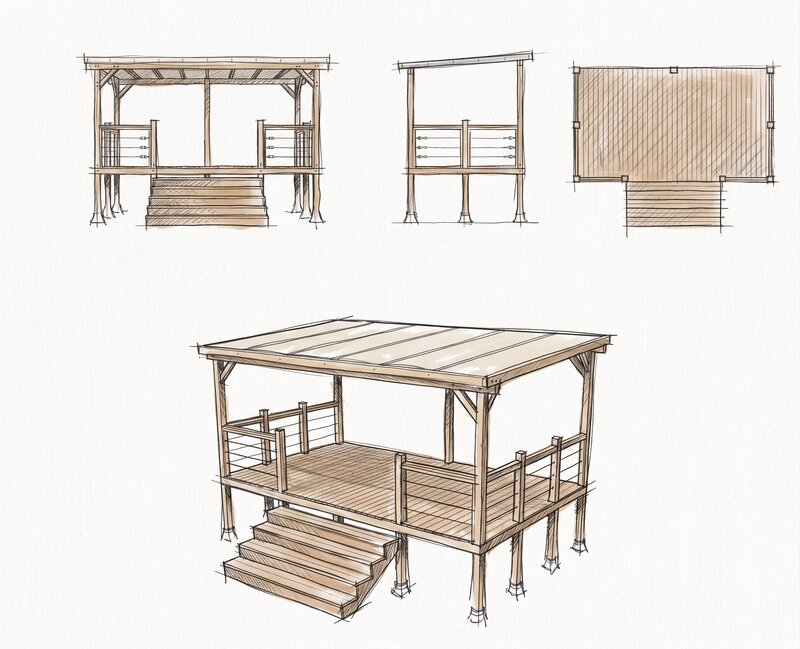
The problem: a quote that goes out... maybe
Modular custom manufacturing has a structural flaw: every project is different, yet pricing still relies on generic tools (sketches, spreadsheets, phone calls). The result costs you on several levels:
- Sales time: several exchanges before getting reliable dimensions and a priced quote.
- Risk of error: a measurement misheard on the phone becomes a wrong plan, discovered too late.
- Conversion rate: the customer waits, hesitates, and sometimes goes to a competitor who responds faster. In France, according to CAPEB (the French construction trade body), a project owner gets three different quotes on average before deciding: the first to respond has a real edge.
- Load on the design office: redrawing by hand a project that actually follows assembly rules known in advance.
None of this is a team problem. It's a tooling problem.
The principle: a guided configurator, not a free-form plan
A classic 3D planner (CAD-type) gives the user a free-form workspace: you still need to know how to use it to get a usable result. 3DVue's modular 3D configurator flips that logic. The customer moves through a guided journey, step by step: dimensions, then materials, then options. At each step, they only see what your workshop can actually produce.

Modules, dimensions, materials: what gets configured
Technically, it relies on a grid of standard modules (for example 1.2 m-wide modules for a pergola range), adjustable in width and depth within the limits you set. The customer then picks the materials and finishes available for their range, then the options: railings, stairs, privacy panels. At each step, the 3D render updates instantly, from every angle.
Only the combinations your workshop can actually produce
This is what changes everything compared to a paper quote. The compatibility rules (minimum and maximum dimensions, mutually exclusive options, materials available per range) are defined with you once, at integration time. Once these rules are in place, it becomes impossible for the customer to configure something you couldn't manufacture. Zero impossible combinations surfacing too late, once the quote is signed.
🔑 What this changes in practice: the customer configures alone, from their phone, with no software to install. You receive the exact references and dimensions, ready for production. Zero plans to redraw by hand.
What this changes for you in practice
Three direct effects, once the configurator is in place on your range:
- On the sales side: the customer visualizes the project and decides on their own, at any hour, without waiting for an appointment to get a first estimate.
- On the design office side: every order arrives with exact digital dimensions. No more reconstructing a plan from a sketch or a phone conversation.
- On the production side: what the customer validated in 3D is exactly what goes into manufacturing, since no incompatible combination was ever offered.
This matches a study published in Computers in Industry (Haug, Shafiee & Hvam, 2019) on engineer-to-order companies: adopting a product configurator is associated with higher specification quality, fewer errors, and faster, more accurate quotes.
Before / after
| Step | Classic quote | Modular 3D configurator |
|---|---|---|
| Taking measurements | Sketch + back-and-forth | The customer configures it themselves |
| Risk of error | High (dimensions passed on verbally) | None (exact digital dimensions) |
| Time to a priced quote | Several days | Immediate |
| Redrawing by the design office | Systematic | None |
| Availability for the customer | Business hours | 24/7, online, on mobile |
Not just pergolas
The principle applies to any modular custom product: pergolas, carports, wood structures, conservatories, garden sheds, gates, fencing, railings, but also matching furniture like benches or slatted screens. The only condition is having identifiable assembly rules, even complex ones. The more structured your range, the more precise the modular configurator is.
Frequently asked questions
Does this configurator replace my design office?+
What types of products can be configured with this system?+
How does the configurator avoid combinations that are impossible to produce?+
Can the customer really configure it alone, without making mistakes?+
What do I actually receive at the end of a configuration?+
How long does it take to set up a configurator for my range?+
Conclusion
A blind quote isn't an inevitable part of modular custom manufacturing, it's a consequence of not having the right tool. By giving the customer a guided journey where only feasible combinations are offered, the 3D configurator turns an artisanal process (sketches, back-and-forth, redrawing) into a reliable digital flow, from the customer's first click to the dimensions that go into production.
Do you manufacture modular custom products and pricing still takes up too much of your time? I'll show you what it looks like on your own range, over a video call.
Describe your range and your manufacturing rules. Thibaut will reply within 24h.