Home
Software
3D configurator software Pricing AI Photo Studio Log in
Custom
Custom 3D configurator 3D Catalogue Modelling Photorealistic 3D Packshot Augmented Reality 3D Web Visualisation Modular 3D Configurator Book a call
Sectors
Furniture Textile & Fashion Jewellery & Luxury Promotional items Sports kits
Integrations
Shopify WooCommerce PrestaShop WordPress
Resources
FAQ Documentation Blog Case studies About Contact
Free trial
AI Photo Studio

Faithful product photos, generated from your 3D model

A photo shoot is expensive, and you need a new one for every variant. Ask ChatGPT or Gemini to stage your product from a simple photo, and they redraw it: wrong material, wrong colour, wrong details. The AI Photo Studio starts from your real 3D model: the product stays exact, the AI only creates the setting around it.

Try it for free Tokens included when you subscribe to a paid plan. See pricing
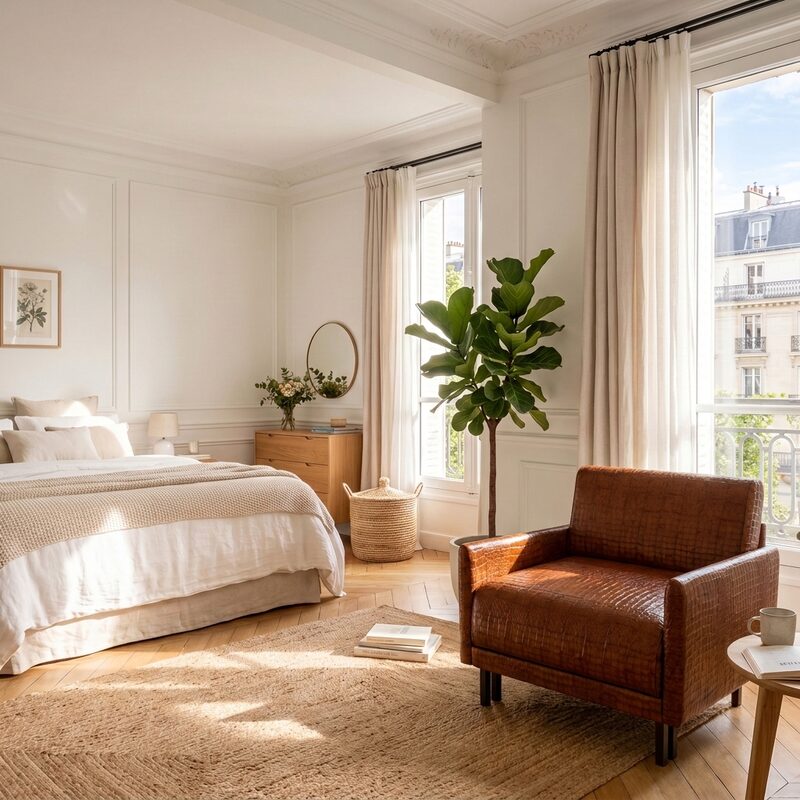
Likoolis armchair staged in a bedroom, generated by the 3DVue AI Photo Studio
Does this sound familiar?

One photo per variant, a new shoot for every new option

Studio, photographer, retouching: the cost climbs with every colour, every material, every new setting to show. And mainstream AI tools redraw your product instead of respecting it.

Try it for free →
Your problem
With the AI Photo Studio
A new shoot for every variant
All your variants generated in a single batch
ChatGPT or Gemini redraw the product
The product comes from your 3D model: it stays exact
A setting to build and light in studio
A ready-made setting, or one described in your own words
Production times of several days
A batch of images ready in minutes
A price that climbs with the number of photos
From €1 excl. VAT per image, tokens included on subscription
The principle

The product comes from the 3D model, the AI only creates the setting

This difference changes everything. Ask a generative AI to start from a simple photo, and it reinvents the product on every attempt: proportions, material, details. The AI Photo Studio starts directly from your 3D model, with its real materials and real dimensions: the product cannot go wrong, only the setting is generated. Why classic generative AI hallucinates your products →

The exact product

Every angle, every colour, every material comes from your real 3D model: nothing is redrawn by the AI.

The generated setting

The AI composes the setting around the product: studio, interior, outdoor, creative set or a setting described in your own words.

All your variants

Every combination you tick becomes an image, generated in the same batch with the same setting.

In a single batch

All your variants, generated together

In the software's "Variants" step, you tick the colour and material combinations to process: each becomes an image, in the same setting. Up to 25 images per batch at launch, more on request.

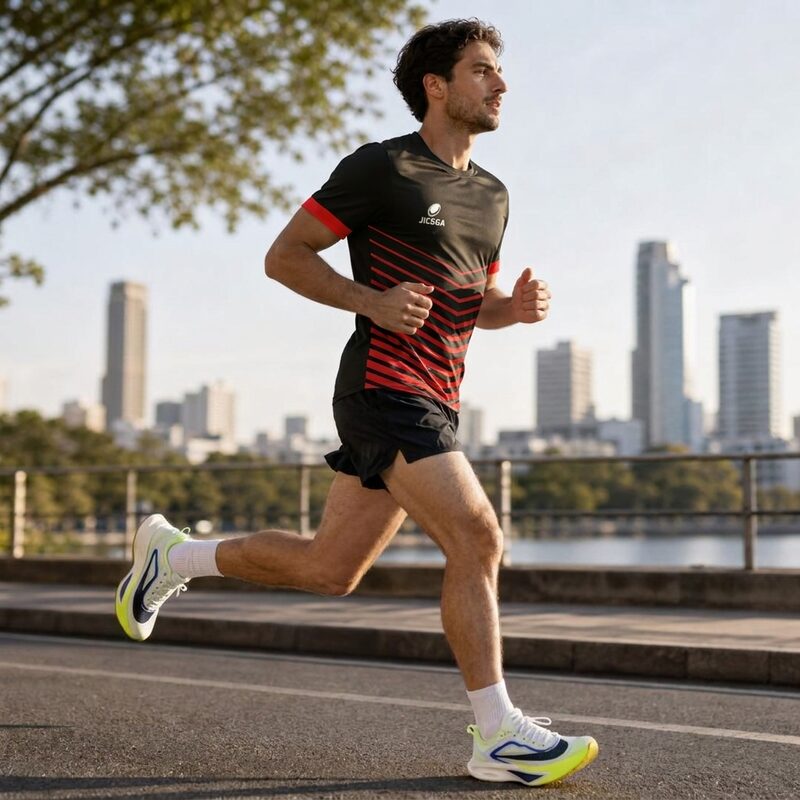
Jicega running jersey, red and black colourway, staged by the 3DVue AI Photo Studio
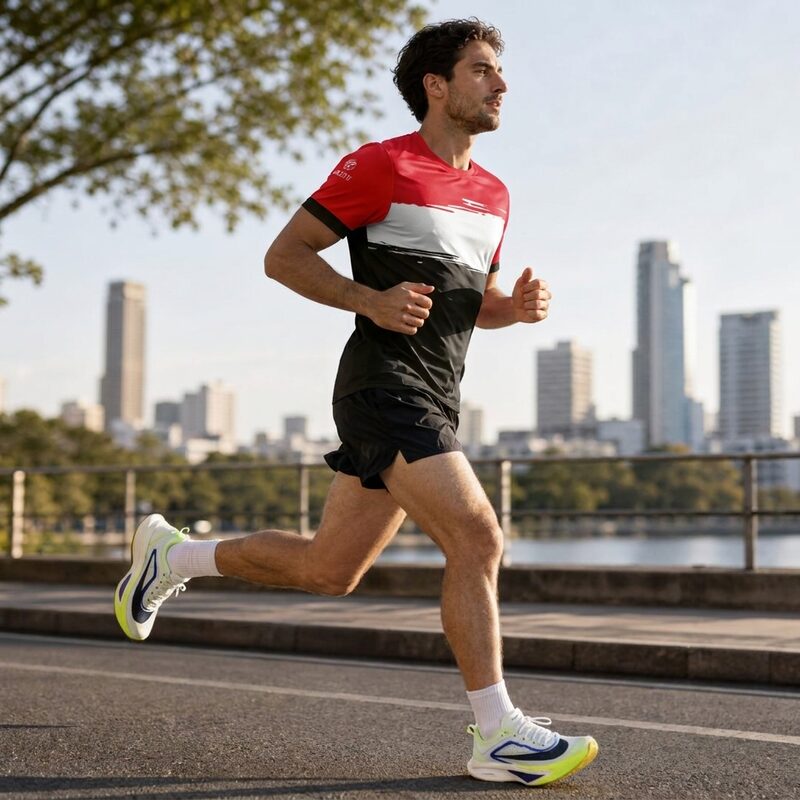
Jicega running jersey, black and red colourway, same setting, generated in the same batch by the 3DVue AI Photo Studio

Same product, same setting, two colourways ticked in the same batch: the jersey comes from the 3D model, only the setting is generated.

Settings

Ready-made settings, or described in your own words

Choose a ready-made setting and refine it if needed (for example "Scandinavian" or "Mediterranean terrace"), import your own background, or simply describe it in your own words.

On a desk

Modern desk, daylight, neutral setting.

Cosy interior

Designer interior, soft light, warm setting.

Garden, terrace

Garden or terrace, daylight, warm setting.

Creative staging

Coloured background, plinths, leaf shadows.

At the beach, summer

Seaside, golden light, summer setting.

Mountain, outdoors

Mountain, winter, open air.

Worn, everyday

One or two people in the city, warm setting.

Portrait, close-up

Jewellery and accessories, elegant light, dark background.

In action, sport

A player in the middle of the field, stands in the background.

Formats and pricing

€1 excl. VAT per image

Square, social media format 4:5, story 9:16 or banner 16:9: you choose the format when you generate the batch. Each image costs 2 tokens (€0.50 excl. VAT per token), 4 tokens in 4K. The AI Photo Studio is not included in the Free plan; every paid plan includes tokens when you subscribe, and you can buy more at any time.

  • Square, 4:5, 9:16, 16:9: one format per use case
  • Up to 25 images per batch, more on request
  • Tokens included when you subscribe to any paid plan
  • Tokens can be topped up, and they never expire
  • The same 3D model also powers your configurator
Who it's for

You already have 3D files

The AI Photo Studio is for brands that already have a 3D model of their product: furniture, lighting, jewellery, textiles, sports equipment. It is the same file that powers your configurator.

Try it for free →

No 3D model yet?

Our studio can create it for you from your photos, plans or technical files: that is our custom configurator service. The model then powers both your configurator and your AI Photo Studio.

Discover custom
FAQ

The questions we get asked most often about the AI Photo Studio.

Try it for free →
Can the AI Photo Studio distort my product?+
No. The product shown in every image comes directly from your 3D model, with its real proportions and real materials. The AI only generates the setting around it: it never redraws the product.
What is the difference with ChatGPT or Gemini used alone?+
With just a photo and a prompt, these tools reinvent the product on every generation: wrong material, wrong colour, wrong details. The AI Photo Studio starts from your 3D model as an exact reference, which locks the product in place and leaves the AI to work on the setting only.
How much does an image cost?+
€1 excl. VAT per image (2 tokens), 4 tokens in 4K. The AI Photo Studio is not included in the Free plan; every paid plan includes tokens when you subscribe, and you can buy more at any time.
How many images can be generated at once?+
Up to 25 images per batch at launch, more on request. You tick the variants to process (colours, materials) and they are generated together, with the same setting.
Can I choose my own setting?+
Yes. On top of the ready-made settings, you can import your own background image or describe the setting you want in your own words.
Do I need a 3D model to use the AI Photo Studio?+
Yes, the same 3D model as your configurator. If you do not have one yet, our studio can create it for you: that is our custom configurator service.
What formats are the images delivered in?+
Square, social media format 4:5, story 9:16 and banner 16:9. You choose the format when you generate the batch.
Can these images be used anywhere?+
Yes: product page, social media, advertising, catalogue. Every generated image is captioned as staged by the 3DVue AI Photo Studio.

Also read

Related services

Get started

Your first batch of product photos, today

Create your account, import your 3D model and generate your first images. 90-day free trial, no credit card.

Try it for free

No 3D files yet? Our studio does it for you.
We use audience measurement cookies to understand how you use our site.