
If you run visual production for a brand, you've probably already tried generative AI for your product visuals: a prompt, an image in ten seconds. Then the disappointment: an extra leg, a fabric whose pattern changes, a proportion that matches nothing sellable. The problem isn't the AI. It's the lack of a reliable reference.
At 3DVue, we start from a simple principle: the product should never be left to the model's interpretation. It comes from your real 3D configurator, with its true proportions and true materials, and it's precisely this origin that guarantees the absence of defects or invention. Only the setting around it is generated.
The problem: generative AI reinvents your product
A prompt alone, without a reference image, gives the AI total freedom over what it draws. For a generic mood visual, that's rarely an issue. For a branded product with a precise identity (exact colors, stitching, proportions), it's a dealbreaker: every generation is a new interpretation, never a faithful reproduction.
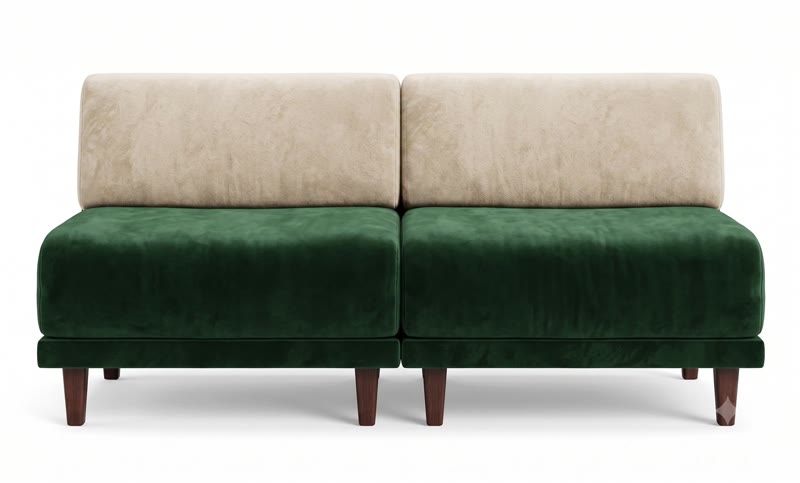
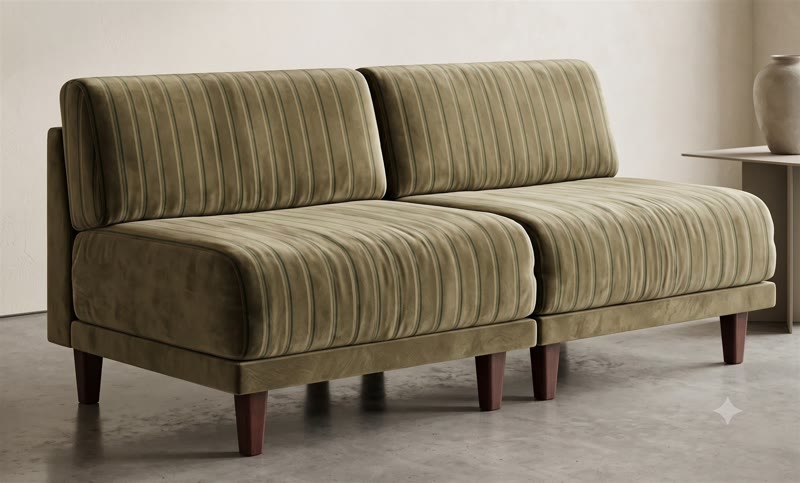
The same problem shows up from both angles: it's not an isolated accident, it's the default behavior of a prompt with no reference.
This is exactly what we hear from agencies and art directors who have tried it: they get images that look appealing at first glance, but are unusable for a brand: impossible to publish without a customer wondering "wait, that's not our sofa". And fixing a hallucination through successive prompts often takes longer than just accepting an approximate result.
The method: the configurator as the anchor, AI for the context
Our approach flips the logic. Rather than describing the product in text, we show the AI the real product, from multiple angles, exactly as it exists in the 3DVue 3D configurator. The generative model then has only one job left: build the setting, the light and the mood around a product it cannot reinvent.
This isn't a happy accident: our 3D configurator is wired directly into the generative AI. It's not a simple screenshot we show it, but access to the real 3D modeling data of the product. The AI receives the exact materials (the PBR textures of each colorway) and the precise shapes of every element: the legs, the backrest, the armrests, the stitching. It doesn't guess the material or the geometry: it receives them exactly as they were modeled. It's this direct connection between the configurator and the AI, more than the prompt itself, that guarantees a faithful product, with no defects and no invention.
In practice, the process rests on two ingredients:
Up to 14 reference images, not just a prompt
We use the best image generative AI solution available on the market, selected and continuously updated to guarantee the best possible result. It accepts up to 14 reference images in a single generation: several angles of the product taken from the configurator, possibly a lifestyle photo or a client moodboard. In practice, 2 well-chosen images (front + three-quarter) are already enough to lock the geometry and material most of the time.
The model also accepts direct annotation on the reference image: circling an area in red marker and noting "replace with the sofa here" works better than a long text prompt for precisely positioning the product within an existing scene.
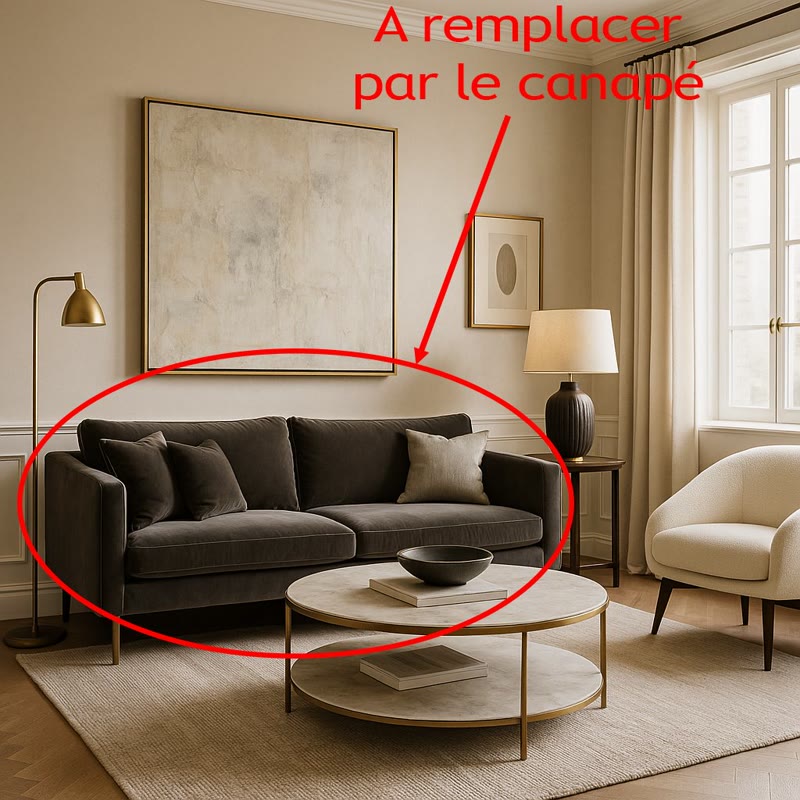
🔑 What this changes in practice: the generated product is never an approximation. It comes from a real 3D model, with its true proportions and true material. The AI only dresses it with a setting it invents.
Human art direction, not a "generate" button
This Likoolis case was prepared by hand, the way an art director prepares a shoot brief rather than shooting at random. Since then, the AI Photo Studio brings this same principle to self-service: you tick your variants and generate the batch yourself, directly from your configurator.
The one argument neither a photo studio nor AI alone can match
An existing 3D configurator already contains every color and material variant of a product. That means we can generate the same setting, the same lighting, the same staging, for every colorway, with no reshoot, and without the color drift that a generative AI used alone would inevitably produce from one generation to the next.
Here's the same Likoolis sofa, in the same living room, identical in every way, shown in six colorways taken from the configurator:


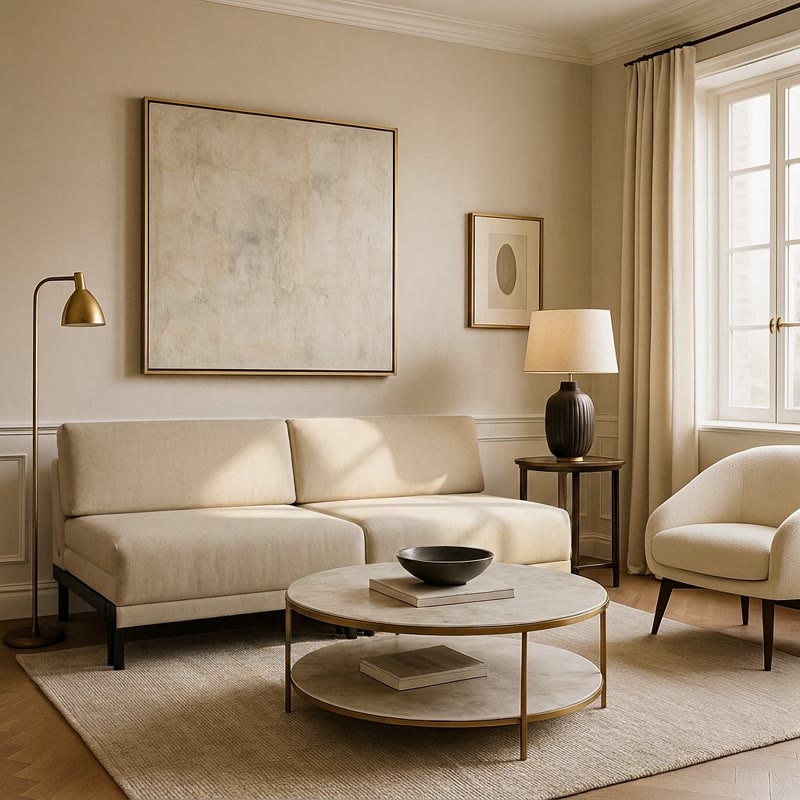
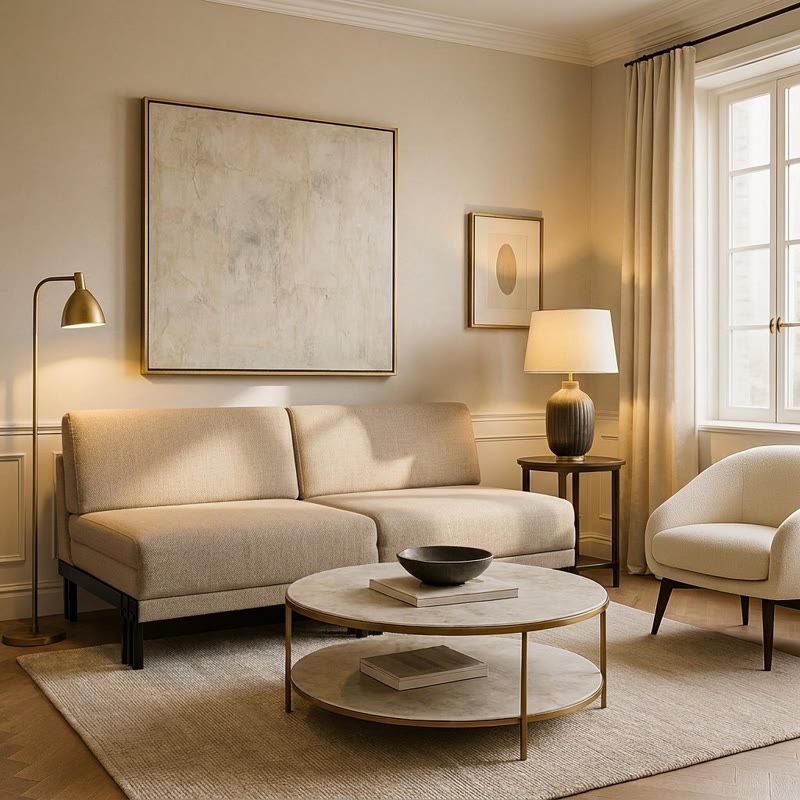
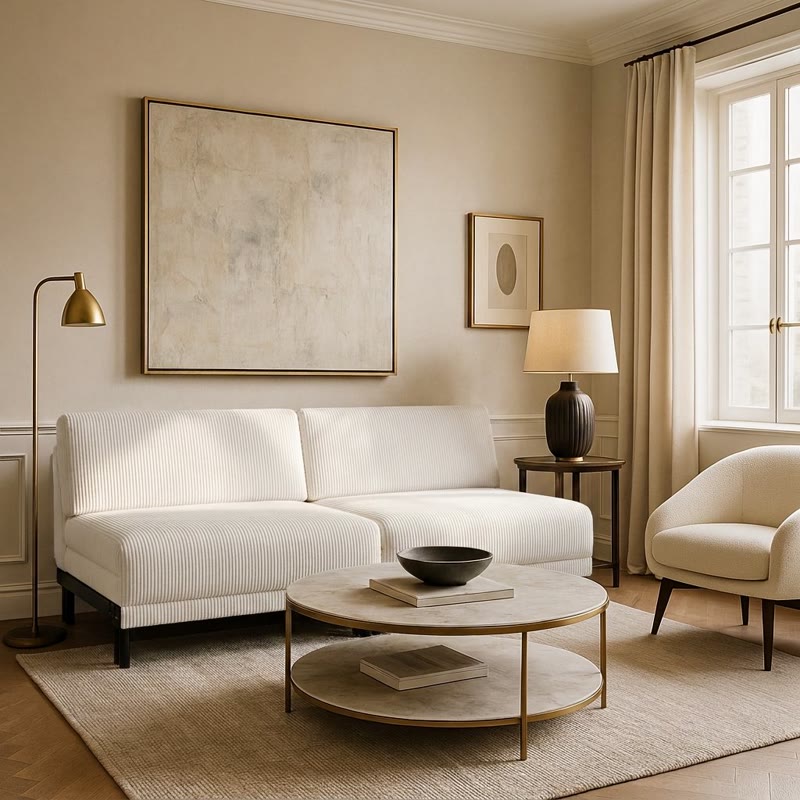

A photo studio would need to redo a complete shoot for every colorway: several days, several thousand euros. A generative AI used alone would make the fabric or the tint drift with every new generation. With the configurator as the anchor, consistency is guaranteed and the marginal cost per variant stays low.
And for a simple render, without a set?
Not every image needs to tell a living-room story. For an e-commerce product listing, a banner or a catalog, a clean packshot (the product alone, on a neutral background) is often exactly what's needed. The same method applies: the configurator supplies the faithful product, the AI handles render quality (light, material, sharpness), without inventing a set.


Drag to compare: 3D configurator preview on the left, AI packshot delivered to the client on the right.
Here are 8 colors/materials of the Likoolis sofa, each shown from two angles (click to enlarge):
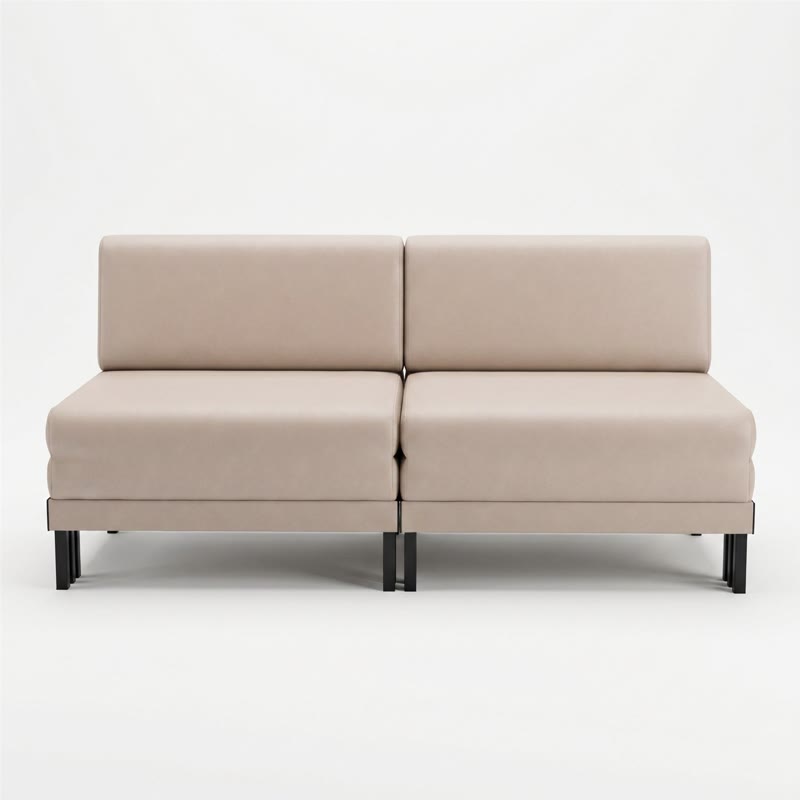


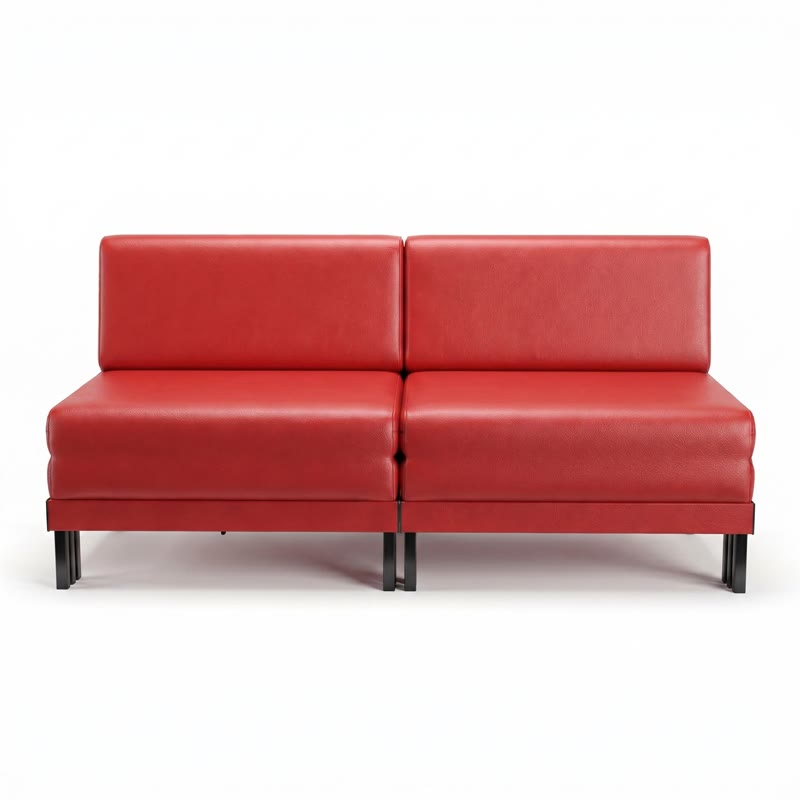

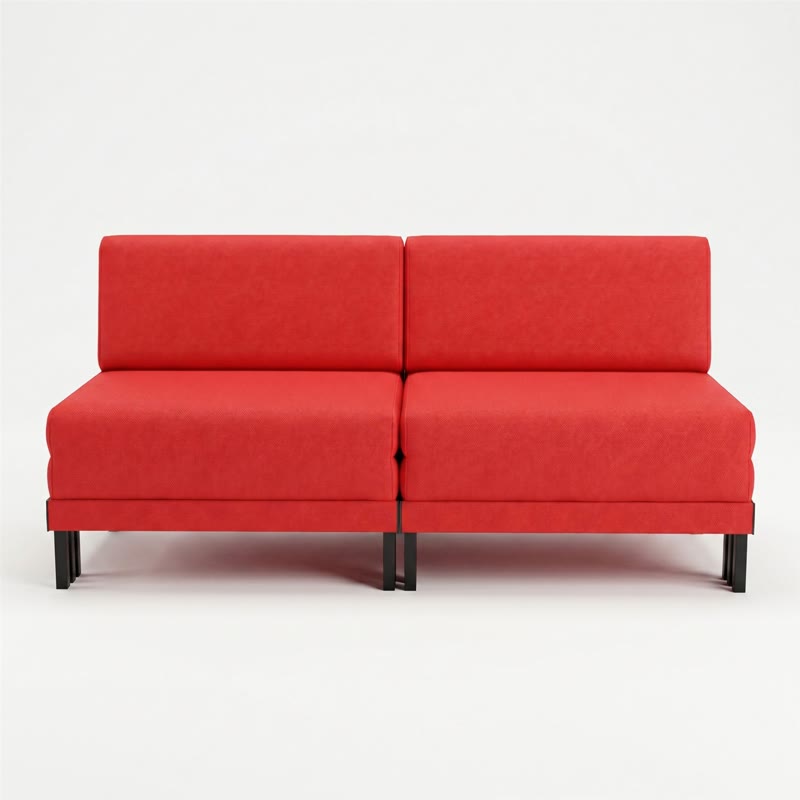
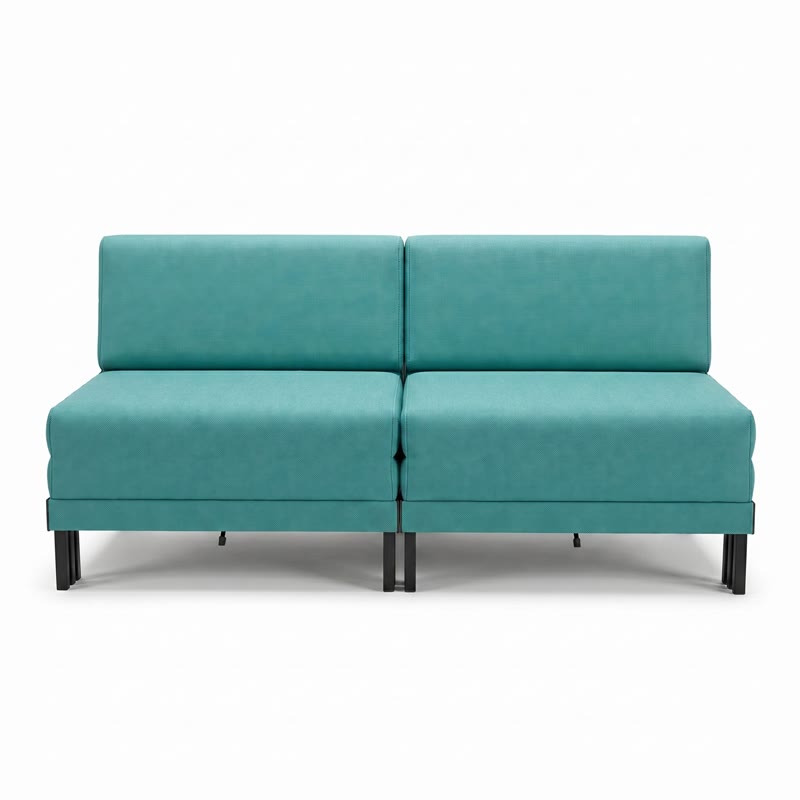

Eight colorways, two angles each, generated from the same configurator: the variety is only limited by how many materials you already have in your catalog.
Case study: Likoolis
Likoolis is a French sofa manufacturer, already a 3DVue client for its furniture 3D configurator. Their catalog offers numerous colors and materials per model: exactly the kind of territory where this approach makes the most sense. Rather than picking one or two colorways to feature on their site or social media, they can now get a quality visual for every single variant, in an identical, polished setting.
For an agency or an art director running a campaign, the benefit is direct: a single art direction session (choosing the set, the light, the framing) is enough to cover an entire catalog of colorways, with no need to renegotiate a shoot for every new collection.
What this approach doesn't do (yet)
In the interest of honesty: it isn't free or instant in the way a mainstream consumer tool is. Our AI Photo Studio now brings this same approach to self-service, from €1 excl. VAT per image, for any brand that already has a 3D model. If you're looking for a classic photorealistic 3D render, without generative AI, without staging, our dedicated 3D packshot page remains the most direct option.
Quick comparison
| Criterion | Photo shoot | Generative AI alone (Midjourney...) | 3DVue (configurator + AI) |
|---|---|---|---|
| Product fidelity | ✅ Total | ❌ Random | ✅ Guaranteed (from the configurator) |
| New colorway without reshoot | ❌ New session | ⚠️ Drifts with every generation | ✅ Yes, same set kept |
| Varied sets/moods | ❌ Costly | ✅ Easy | ✅ Easy |
| Lead time | Several days/weeks | Minutes | A few days (curation included) |
| Self-service | ❌ | ✅ | ⚠️ Not yet (in preparation) |
Frequently asked questions
Is a 3D configurator mandatory to use this generative AI method?+
Which AI do you use to generate the visuals?+
Can I generate my own visuals with my configurator?+
How much does an AI-generated visual cost?+
What's the difference with using Midjourney or Gemini directly?+
Does this method work for any product?+
Conclusion
Generative AI alone doesn't know how to keep a product faithful from one image to the next: it's a reference problem, not a creativity problem. By starting from a real 3D configurator, we flip the balance of power: the product stays fixed, only the imagination stays free on the setting. It's this combination, a 3D configurator wired into the best generative AI on the market, that makes 3DVue the most reliable solution today for producing hallucination-free brand visuals.
If you already have a 3D configurator (or a product that could have one) and you're looking to produce campaign visuals without a reshoot for every variant, let's talk.
Upstream, the quality of the 3D models remains decisive for the fidelity of the generated visuals: Lampyre studio, which models the catalogs used by 3DVue, details its own AI rendering pipeline for product catalogs.
Describe your product and your visual needs. Thibaut will reply within 24h.
Explore our configurators by sector