
Every new color, every new material, every new product means one more photo to produce. AI offers two ways to lighten that work: start from an existing photo and retouch it, or start from the product's 3D model and generate each variant.
Photoroom takes the first route. Born in 2019 from an idea of its co-founders, the app claims 1 million brands as users, 7 billion images processed per year and the #1 mobile app spot in more than 40 countries. It is today the benchmark for AI product photography.
The 3DVue AI Photo Studio takes the second. It is part of the 3DVue software: it uses the 3D model of your product, with its real materials, and the AI only creates the setting around it. If you do not have a 3D model, 3DVue custom creates it for you.
These tools do not start from the same place, so they are not quite aimed at the same brands. If you are looking for a Photoroom alternative, this comparison helps you see which one fits your situation, and when the two work well together.
Quick comparison
| Criterion | Photoroom | 3DVue AI Photo Studio | 3DVue custom |
|---|---|---|---|
| Starting point | Your photos (upload or mobile app) | Your 3D model (glTF, GLB, FBX, OBJ, STL…) | Your photos, drawings or CAD: our studio creates the 3D model |
| The product in the image | Your photo, retouched or restaged by the AI | Rendered from the 3D model, the AI only creates the setting | Rendered from the 3D model created by our studio |
| New color without a new photo | ✅ Recolor tool, on an existing photo | ✅ Every material combination in the model | ✅ Every combination planned in the project |
| Another material or part (base, finish) | ⚠️ New photo, or an AI edit to check by eye | ✅ If it exists in the 3D model | ✅ Modeled by our studio |
| Cutout, retouching, shadows | ✅ Included on paid plans | ❌ No photo retouching tool | Renders fine-tuned by hand |
| Other uses | AI models, video (from the Max plan), resizing | The same file powers the 3D configurator and augmented reality | 3D configurator, proofs and production files as options |
| Images at once | Up to 250 images at once | Up to 25 images per batch, more on request | Depends on the project |
| Formats | All formats, 4K on the Ultra plan | Square, 4:5, 9:16, 16:9, 4K as an option | Depends on the project |
| Entry price | $7.50/month billed annually (Pro plan, 1,000 exports/month) | From the Starter plan (€49 excl. VAT/month), then €1 excl. VAT per image | Starting at €5,000 excl. VAT, quoted per project |
| Who it is for | Anyone with photos of their products, from solo sellers to large brands | Brands with 3D files (furniture, lighting, jewelry, sports) | Brands without 3D files, with a demanding product |
Photoroom: who is it for, and what for?
Photoroom is an AI product photo editor, on the web and on mobile. You upload your photos, or take them directly in the app, then cut them out, retouch them and restage them.
What Photoroom does well
- Everything you can do to an existing photo. Background removal, retouching, shadows, upscaling, resizing, image enhancement: these tools are included on every paid plan, without using AI credits.
- AI staging and AI models. AI-generated backgrounds around your cut-out product, virtual models for fashion, product videos from the Max plan.
- Volume. Up to 250 images processed at once with the AI tools, and up to 10,000 exports per month on the Ultra plan.
- A very low entry price. $7.50 per month billed annually for the Pro plan, $20.99 for Max, $82.50 for Ultra.
- A mobile app. You shoot and edit from your phone, with no equipment.
Photoroom's limitations
- You need a photo to start with. A product, an angle or a variant that has never been photographed has to be, or be created by the AI from another photo.
- Recoloring is not changing materials. The Recolor tool changes the color of a garment or product on a photo. Going from oak to walnut, from smooth leather to velvet, from a chrome base to a brass one: that is no longer a color, it is another version of the product.
- When the AI edits the product itself, the result has to be checked by eye. Recoloring or AI editing: it is the image that gets reworked, not the real product. Visual QA tools are reserved for the Enterprise plan.
💡 Photoroom is for you if: you already have photos of your products, or can take them easily, and you want to cut them out, retouch them and stage them quickly, in volume, on a small budget.
The 3DVue AI Photo Studio: who is it for, and what for?
The AI Photo Studio is part of the 3DVue software. You import the 3D model of your product and choose its materials. When you generate, you check the variants to show, choose a setting (ready-made setting, uploaded image or setting described in your own words) and a format: all the images go out in the same batch.
What the AI Photo Studio does well
- The exact product, in every variant. The product is rendered from the 3D model, with its true proportions and real materials. The AI only creates the setting: it never redraws the product. Why standard generative AI invents your products.
- Variants that were never photographed. Every material combination in the model becomes an image, even for a colorway that has not been manufactured yet.
- The same setting for the whole range. The variants in a batch share the same staging: your product pages stay consistent from one colorway to the next.
- One file for everything. The 3D model that produces your images also powers the 3D configurator on your site and augmented reality.
- A price per image. €1 excl. VAT per image (2 tokens), 4 tokens in 4K. Tokens are included when you subscribe to any paid plan, and purchased tokens never expire.
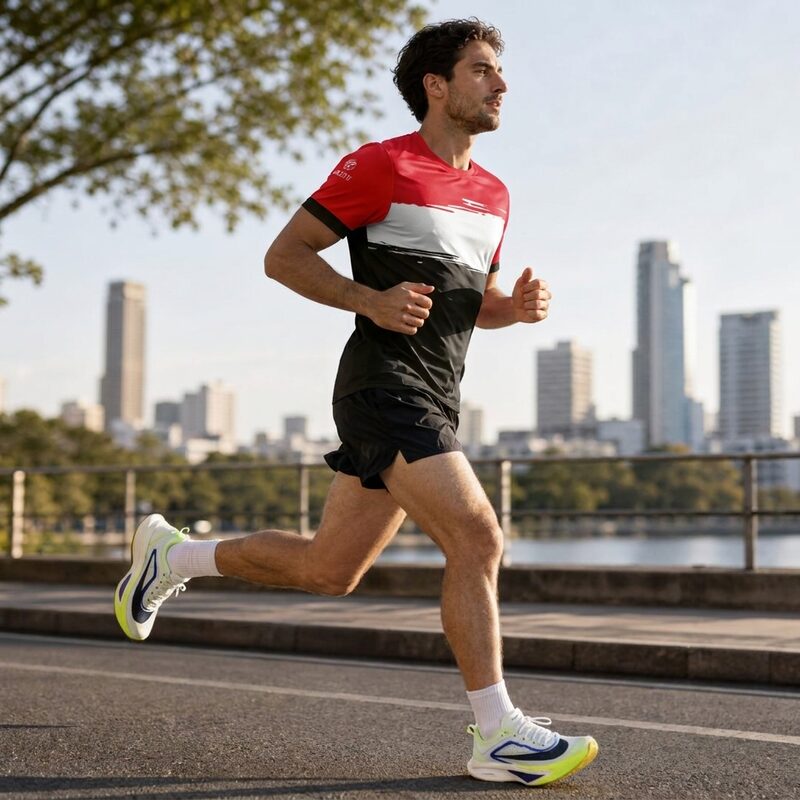
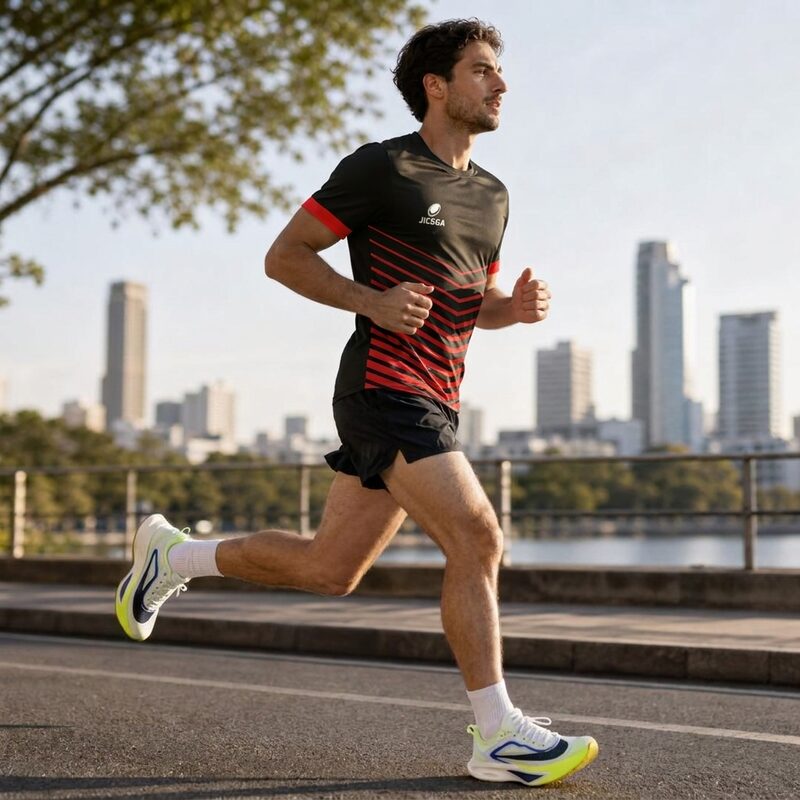
Two colorways of the same jersey, same setting, generated in the same batch. Staged by the 3DVue AI Photo Studio.
The AI Photo Studio's limitations
- A 3D file is required. Without a 3D model, the AI Photo Studio cannot produce anything: 3DVue custom is then the way to go.
- It is not a photo editor. No cutout or retouching of your existing photos, no AI models, no video.
- Up to 25 images per batch, more on request. To process thousands of existing photos in one go, Photoroom is a better fit.
- Not included in the Free plan. The AI Photo Studio starts with the Starter plan, at €49 excl. VAT per month.
💡 The AI Photo Studio is for you if: you have 3D files of your products, many variants to show, and you want every image to show exactly the product you sell. Discover the AI Photo Studio →
3DVue custom: who is it for, and what for?
No 3D file? Our studio models your products from your photos, drawings or CAD files, fine-tunes the materials and the scene by hand, and delivers the 3D configurator integrated into your site, along with the 3D packshots that come with it.
- Modeling included, 3 to 10 days per object depending on complexity.
- You own your 3D files. They are delivered to you: you can then import them into the 3DVue software and generate your images yourself with the AI Photo Studio.
- A higher budget: starting at €5,000 excl. VAT, quoted per project. Discover 3DVue custom.
Using both together
The two tools do not necessarily replace each other. A furniture brand that has 3D files for its range can produce all its variant visuals with the AI Photo Studio, in a shared setting, and keep Photoroom for its real photos: showroom shots, customer photos, social media content to cut out or resize.
Conclusion: which one should you choose?
Choose Photoroom if: you start from photos, you want to cut them out, retouch them and stage them in volume, or you need AI models and video.
Choose the 3DVue AI Photo Studio if: you have 3D files of your products and many variants, and you want to show each one exactly, without photographing it, with the same file as your 3D configurator.
Choose 3DVue custom if: you do not have 3D files yet, and your product deserves a carefully built 3D model that will then power both your images and your configurator.
So the real question is not which one is best, but where you start from: a photo, or a 3D model?
Photoroom pricing and features checked on September 30, 2026 on their website: pricing page, batch processing, Recolor tool, About page. Prices shown in US dollars, billed annually, VAT/GST included according to their FAQ; they may vary by country.
Frequently asked questions
Can Photoroom create a color variant without a new photo?
Yes, with its Recolor tool, which changes the color of a garment or product directly on an existing photo. For another material or another part (base, finish), you need a new photo, or you let the AI invent it. The 3DVue AI Photo Studio renders every material combination from the 3D model: the variant shown is the one in the model, not an interpretation.
What is the price difference between Photoroom and the 3DVue AI Photo Studio?
On September 30, 2026, Photoroom listed its Pro plan at $7.50 per month billed annually (1,000 exports per month), Max at $20.99 and Ultra at $82.50. The 3DVue AI Photo Studio is available from the Starter plan of the software (€49 excl. VAT per month, 3D configurator included), then €1 excl. VAT per image. Photoroom costs less for processing large volumes of photos; 3DVue saves you from photographing each variant.
Do I need a 3D model to use the AI Photo Studio?
Yes. The 3DVue software imports glTF, GLB, FBX, OBJ, STL and four other formats. If you do not have a 3D model, our studio can create it from your photos, drawings or CAD files: that is 3DVue custom, starting at €5,000 excl. VAT, quoted per project.
Can Photoroom and 3DVue be used together?
Yes, they complement each other. The AI Photo Studio produces the visuals for your whole range from the 3D model, with the same setting for every variant. Photoroom remains very handy for real photos: shots taken in the field, at trade shows or by your customers, to cut out, retouch or resize.
How many images can be processed at once?
Photoroom processes up to 250 images at once with its AI tools. The 3DVue AI Photo Studio generates up to 25 images per batch, more on request: every variant you check becomes an image, in the same setting.
Can the AI Photo Studio distort my product?
No. The product comes straight from your 3D model, with its true proportions and real materials. The AI only creates the setting around it: it never redraws the product.
Import them into the 3DVue software: 90-day free trial of the 3D configurator, no credit card, and the AI Photo Studio from the Starter plan.
Describe your project in 15 minutes. We will tell you honestly whether 3DVue custom is the right solution for you, or not.
Explore our configurators by industry