
Asking a generative AI to "put your product in a nice setting" has become a reflex. It is fast, free, and the photo often looks good. But is the product in the image actually yours?
To find out, we took a real product from our client Polimair: the Beluga chair, three legs, shell and seat in two colors. We gave the exact same reference photo and the exact same instructions, written word for word, to ChatGPT and to Gemini. Then we generated the same variants with the 3DVue AI Photo Studio, from the chair's exact 3D model.
We are publishing everything, including what does not work well on our side. It is the only way to make this test useful.
The protocol
- 1 product: Polimair's Beluga chair, a real 3D model and a real product photo supplied as reference.
- The exact same written instructions, word for word, given to ChatGPT and Gemini for every generation: a realistic lifestyle setting, the same colorways as the reference photo.
- AI Photo Studio: the 3D model imported, the color variants checked in a single batch, one setting chosen for the whole set.
- Scoring grid for each image: shape respected, exact material and color, details (legs, curve, assembly), consistency between images, time spent, cost.
The reference photo given to the three tools is not published here: it is a visual from Polimair's catalog, not yet cleared for public use. Every result generated by the three tools, however, is shown exactly as produced.
What ChatGPT and Gemini produced
With the same photo and the same instructions, both tools redraw the product instead of reproducing it. ChatGPT places the chair in the middle of the room, in the wrong colors, with completely botched armrests. Gemini gets the perspective wrong and invents a 4-leg shape, entirely hallucinated. In both cases, the Beluga's distinctive shape, its 3 legs, its proportions, does not survive the trip through the AI.
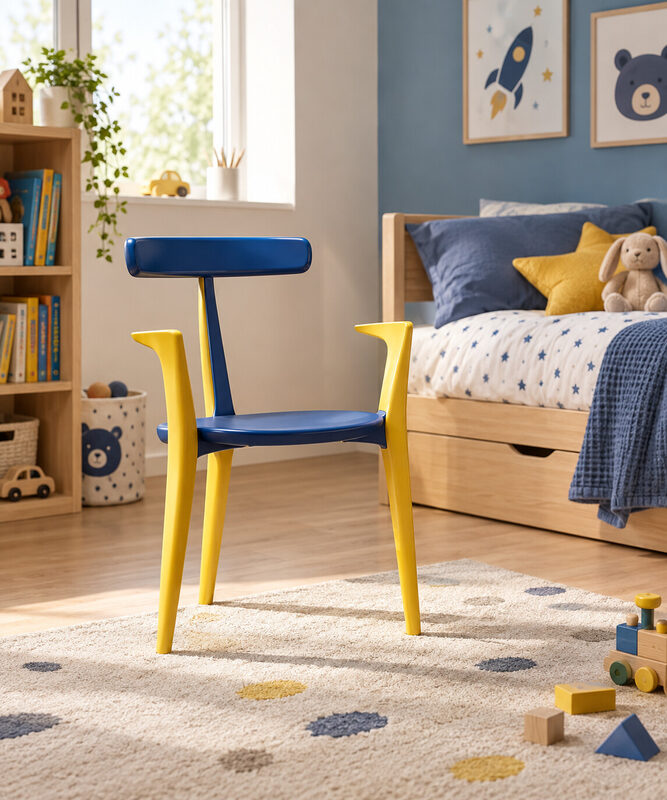
Chair poorly placed in the middle of the room, colors and armrests wrong
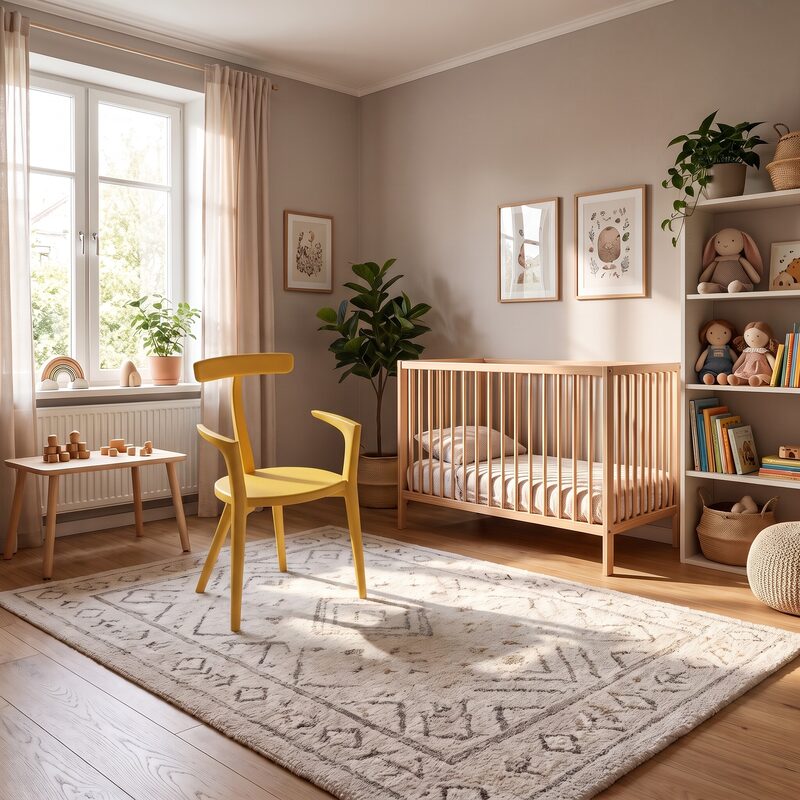
Perspective wrong, 4 legs, completely hallucinated shape
Neither tool offers batch processing for this kind of request: every color or setting variant requires a new prompt, a new wait, and the same risk of seeing the product redrawn differently each time.
Results at a glance
| Criterion | ChatGPT | Gemini | 3DVue AI Photo Studio |
|---|---|---|---|
| Shape respected | ❌ 3 legs by chance, but chair poorly placed in the middle of the room, armrests completely botched | ❌ Perspective wrong, 4 legs, completely hallucinated shape | ✅ 3 legs kept on every variant, it is the client's own 3D model |
| Exact material / color | ❌ Invented, approximate colors | ❌ Invented colors, a single tone | ✅ The model's real colors, variant by variant |
| Details (legs, curve, assembly) | ❌ Botched armrests, generic silhouette | ❌ Inconsistent structure, hallucinated assembly | ✅ Identical to the 3D model supplied by Polimair |
| Consistency between images | n/a (1 image produced) | ⚠️ Two attempts, two different shapes, neither correct | ✅ Same product, same setting across the whole batch |
| Time spent | 2 to 3 min per image (prompt + reference photo to supply) | 2 to 3 min per image, one image at a time | Packshot: 1 click, 2 to 3 min for the whole batch of variants. Setting: ~3 min to set up the scene, then 15 s per image, up to 25 launched at once |
| Cost | Free | Free | €1 excl. VAT per image (2 tokens), included in a paid plan |
What the AI Photo Studio produced
The AI Photo Studio starts from the exact 3D model of the Beluga chair, supplied by Polimair. The AI only creates the setting around it: the product itself comes from the 3D file, with its real proportions and real colors.
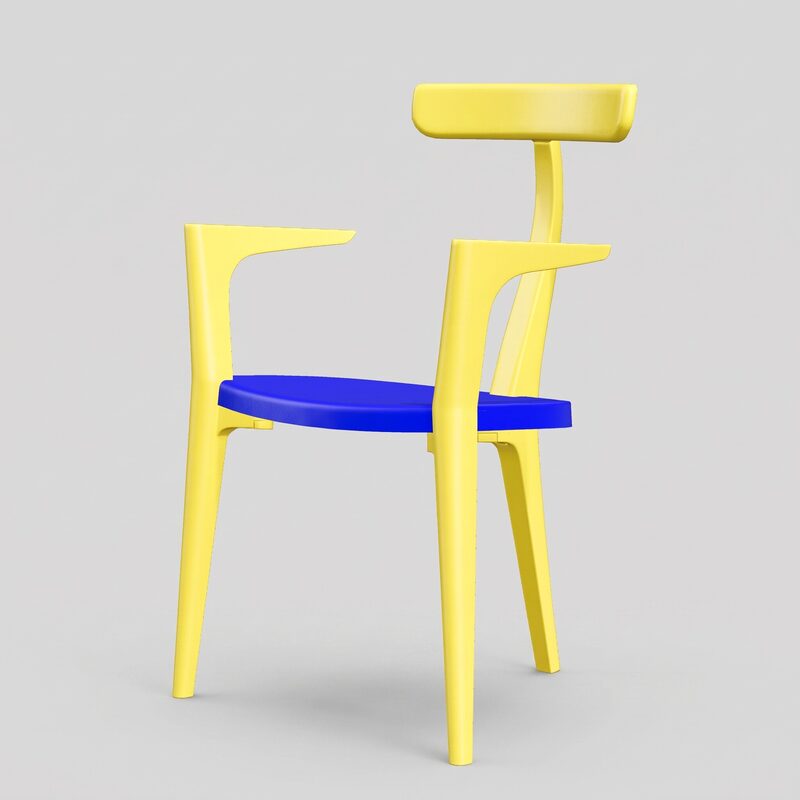
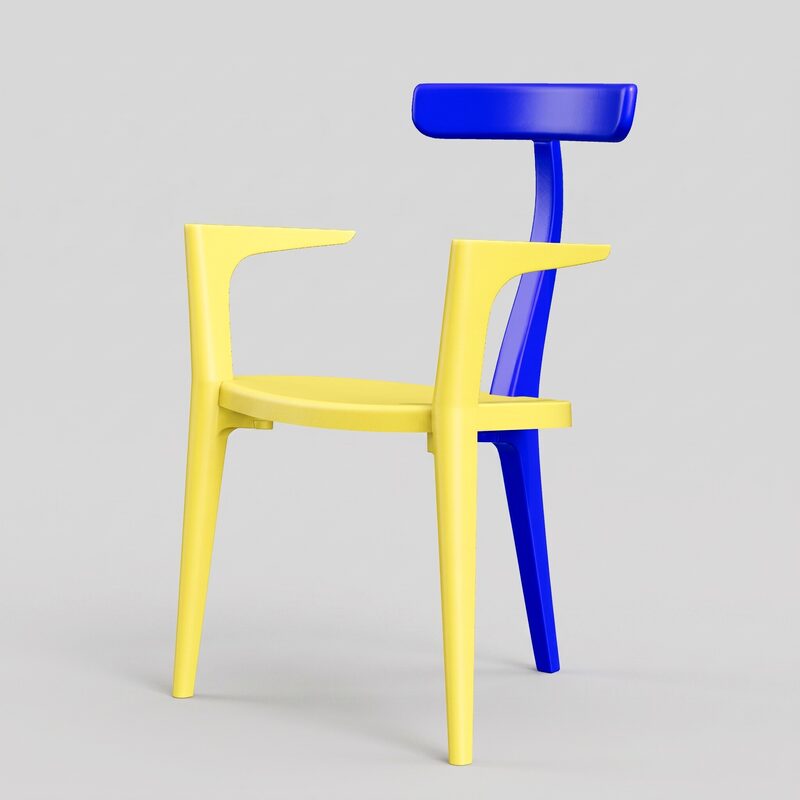
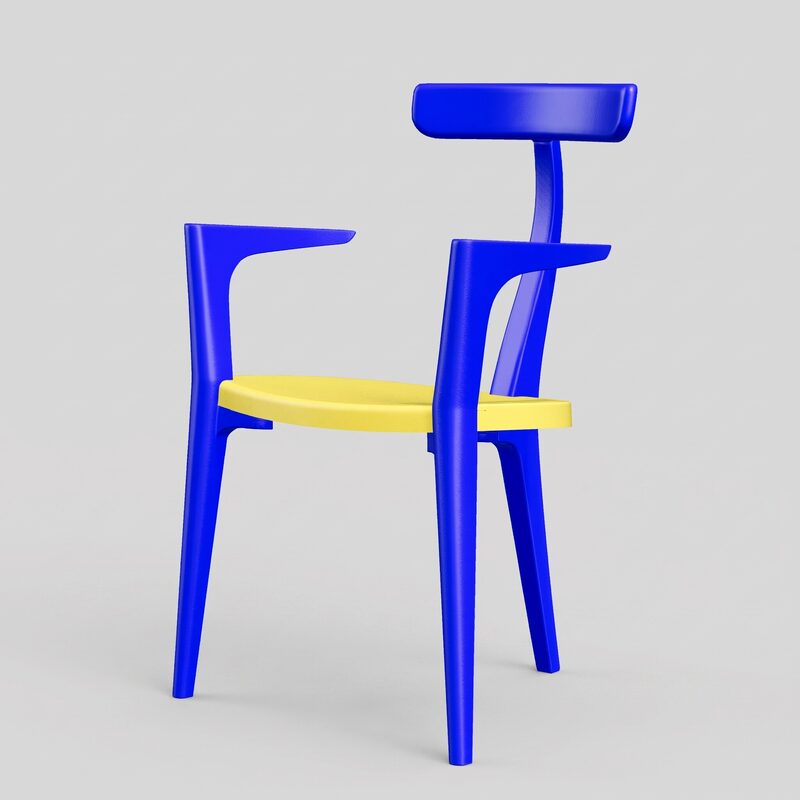
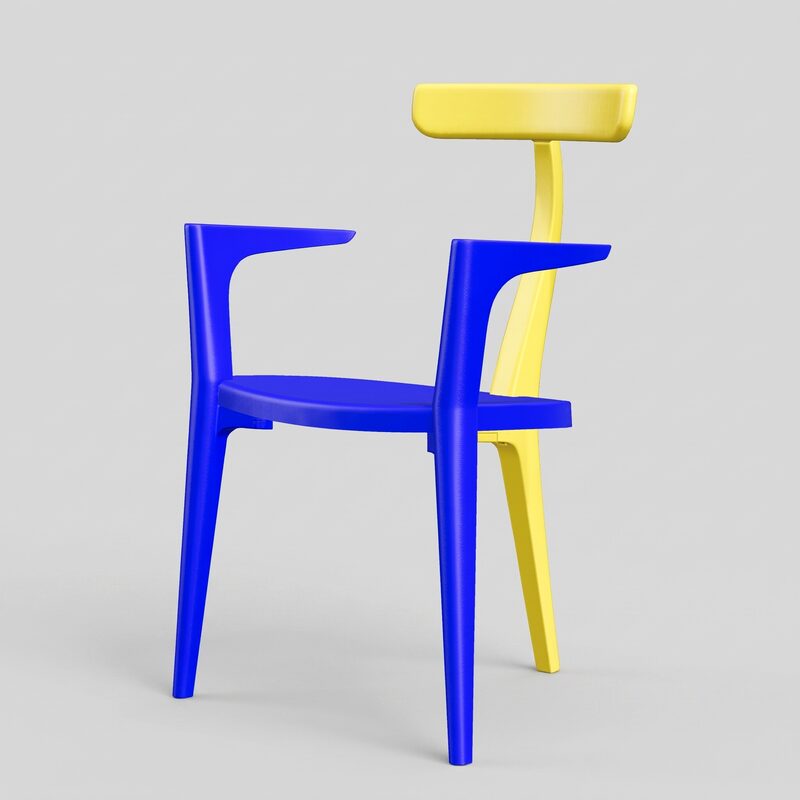
4 of the Beluga chair's 8 real colorways, generated in the same batch from the 3D model. Same 3 legs, same proportions across all 8.
Several lighting setups, same product
The studio packshot also offers several lighting setups, chosen before launching the batch. Always the same product, only the light changes:
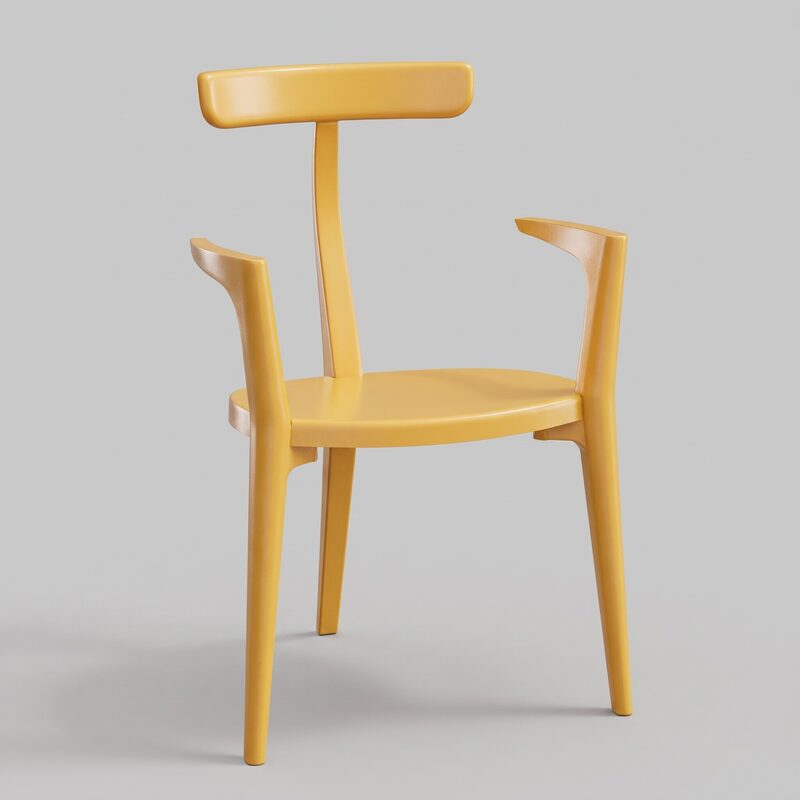
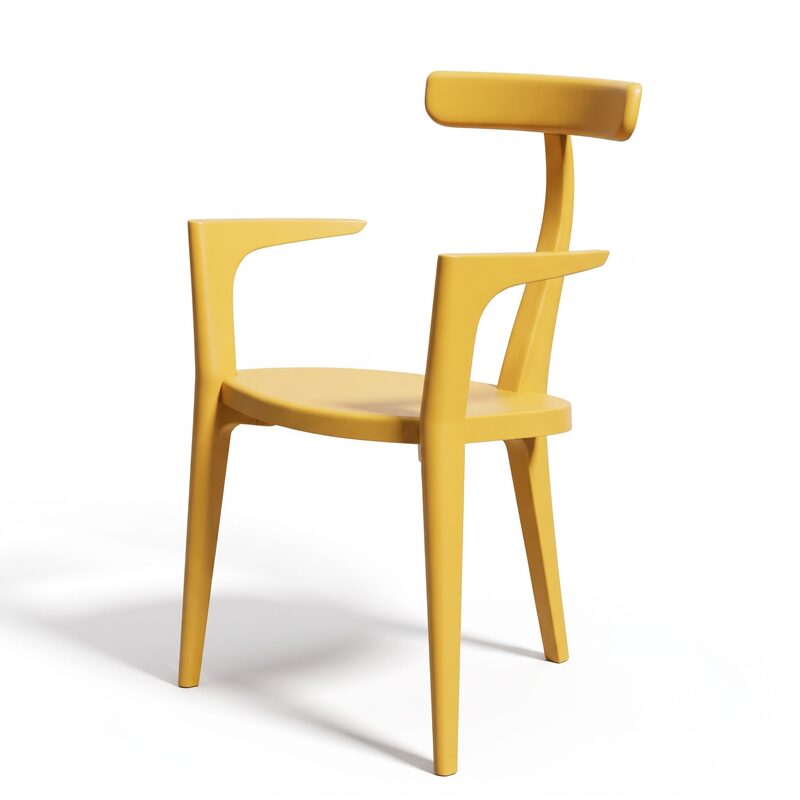
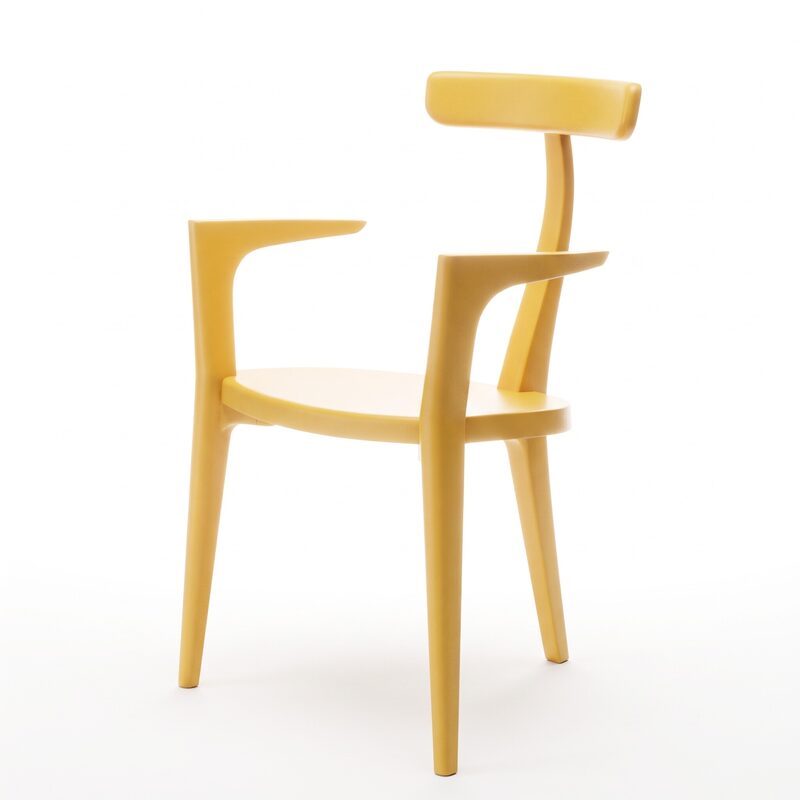
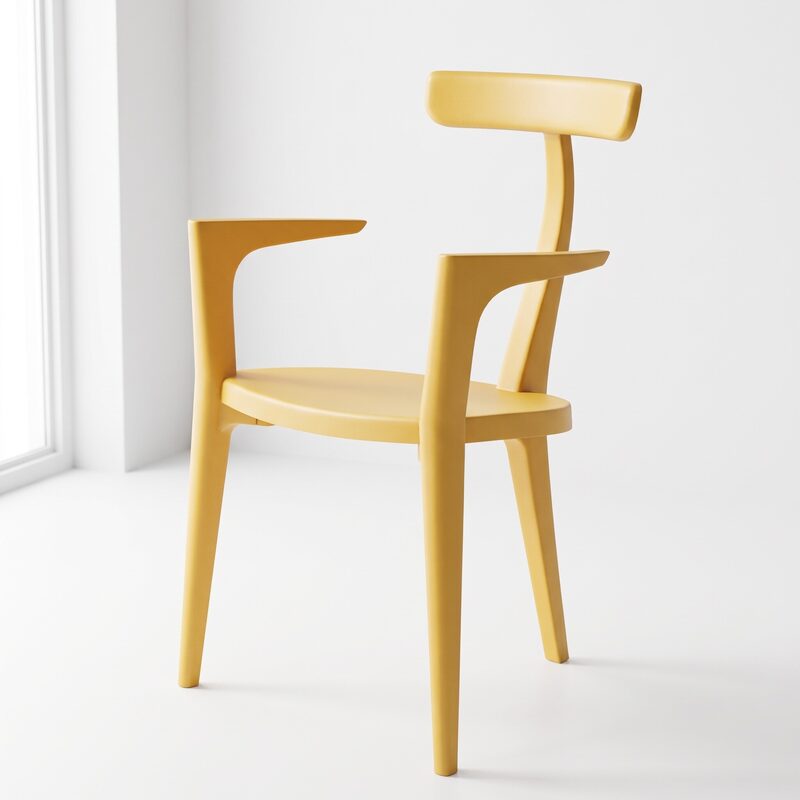
Soft studio (soft light, gentle shadows), High contrast (strong shadows, more depth), Backlight (product outline lit from behind), Natural light. One setup for the whole range, no need to redo it color by color.
The colorways can then be staged in a setting, always with the same exact product:
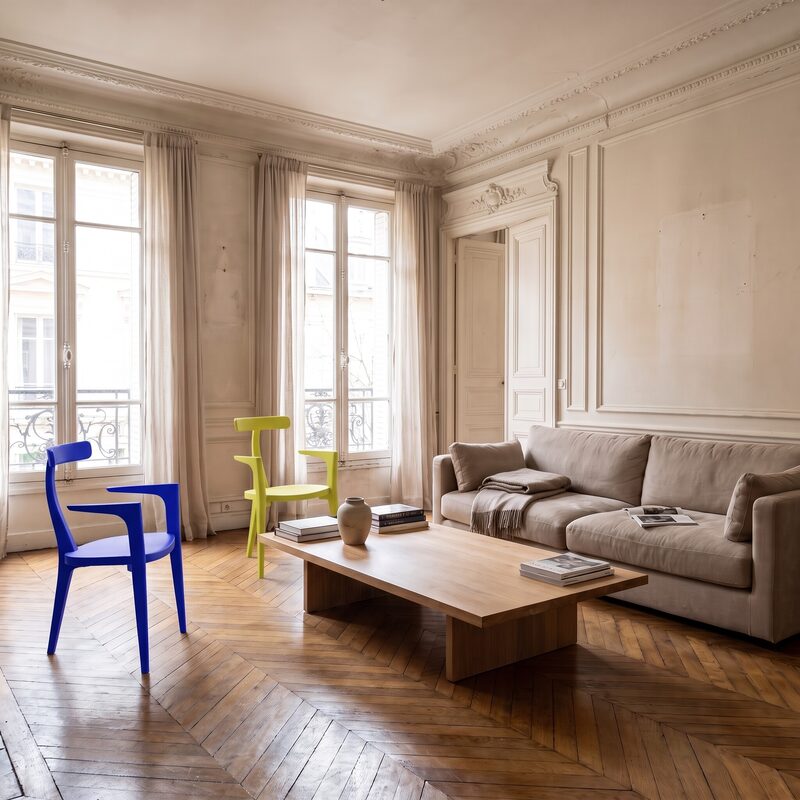
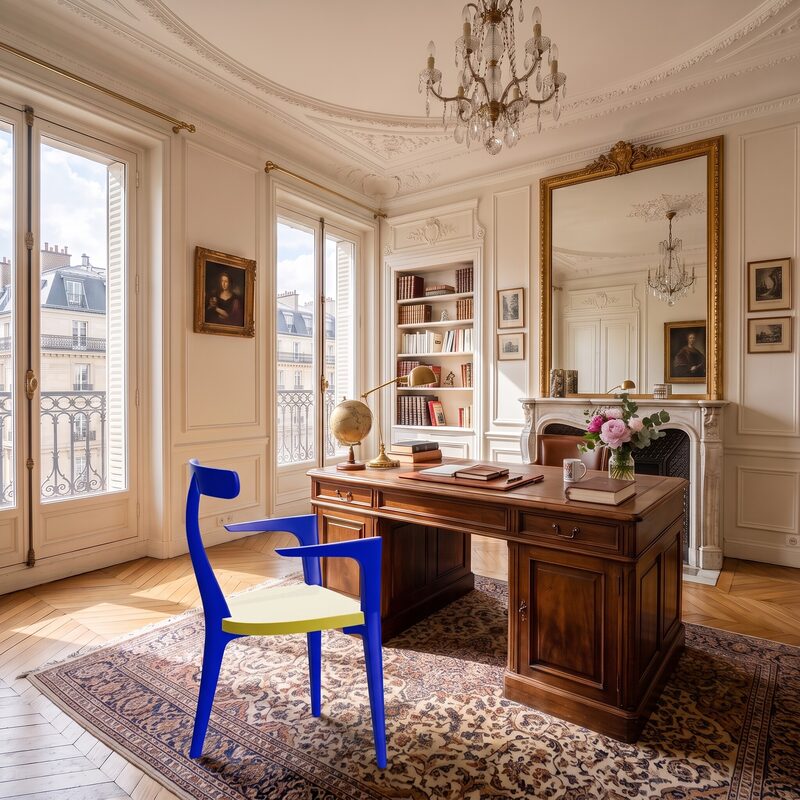
The AI Photo Studio's failures
The AI Photo Studio does not get it right every time either. In this same test, the generated chair occasionally ended up placed on top of an armchair already present in the setting, instead of next to it. In that case, re-running the render for that image fixes it, which takes a few extra seconds. The product's shape and colors, however, always stay exact: only the placement in the scene can go wrong.
Why the gap?
ChatGPT and Gemini generate an image from a description and a photo: they do not know the product's real geometry, they guess it. The more specific the shape (an unusual number of legs, a precise curve, an assembly detail), the more visible the gap with the real product.
The AI Photo Studio has nothing to guess: the product it shows is the 3D model supplied by the brand, rendered as is. The AI only acts on the setting around it. This is also the difference with the classic hallucinations of generative AI on product visuals, a topic we had already documented with another client.
💡 This test shows a real limitation, not a defect to fix. ChatGPT and Gemini are not built to reproduce an existing product pixel for pixel: they are image generators working from a description. For a mood visual that does not show the product in detail, that can be enough. For a product page, it does not match what the customer will receive.
Limitations of this test
- Only one product tested. The Beluga chair has a specific shape (3 legs) that makes the gap easy to see; a more conventional shape might show a less visible gap.
- 3 attempts for ChatGPT and Gemini, not 8 colorways × 2 settings like for the AI Photo Studio: the shape gap was already clear from the first attempts, so we did not see the point of repeating it as many times for each tool.
- Scoring done by us. We tried to be honest, but we are not a neutral judge: also judge for yourself from the images, published unedited.
Conclusion
In this test, ChatGPT and Gemini produce nice-looking images, but not the product being sold: a generic 4-leg chair, in approximate colors, where the customer will actually receive a 3-legged Beluga in one of its 8 real colorways. The AI Photo Studio reproduces the exact product, because it starts from the 3D model instead of redrawing it, with its own acknowledged limitations on placement within a setting.
If your product has a simple shape and the image is meant as a general mood visual, ChatGPT or Gemini may be enough. If the image needs to show the exact product, as it will be delivered, you need to start from the 3D model.
Frequently asked questions
Import them into the 3DVue software: 90-day free trial of the 3D configurator, no credit card, and the AI Photo Studio from the Starter plan.
Describe your project in 15 minutes. We will tell you honestly whether 3DVue custom is the right solution for you, or not.
Explore our configurators by industry